Miseria Troubleshooting
Crashes, shaders, battery drain, Cloud saves, and post-hotfix floor advance—practical fixes for launch-week friction.
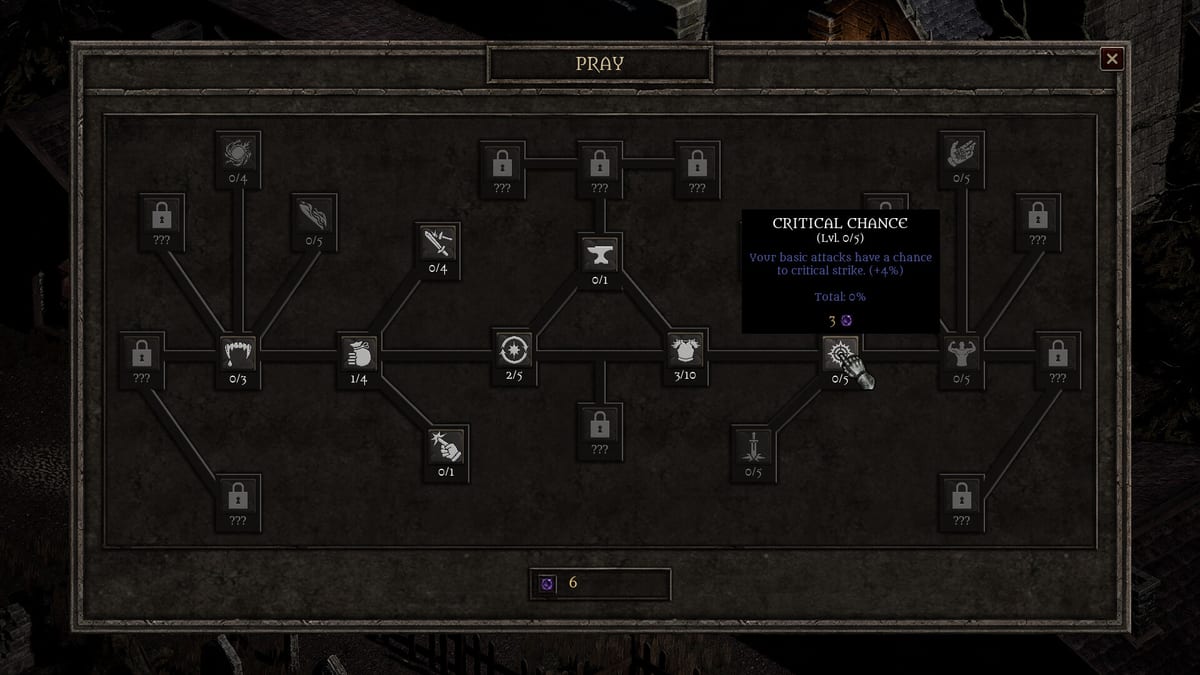
Launch-week Miseria feedback is not only about short campaigns and Mixed scores. Players also report crashes, shader hiccups on deep floors, CPU/FPS drain (especially on Steam Deck), and confusion after the day-one Progression Hotfix. This guide collects practical troubleshooting steps so you can finish floor 90 without fighting the client. Pair it with Controls and Settings and the Steam Deck performance page.
Quick triage checklist
- Verify game files on Steam (Properties → Installed Files → Verify).
- Update GPU drivers (NVIDIA/AMD/Intel) — shader crashes often clear after a clean driver pass.
- Cap FPS (30–60) before long AFK; uncapped idle loops still render hard.
- Quit through the menu after Church spends so Dark Blessings persist (How to Reborn).
- Confirm the Progression Hotfix is applied: spamming advance no longer skips floors.
- Disable overlays temporarily (Discord, GeForce Experience) if the client freezes on town transitions.
Crashes and freezes
Launch reviews mention players who finish cleanly and players who see repeated crashes. Treat crashes as machine-specific until a patch note says otherwise.
Try in order:
- Verify integrity, then relaunch.
- Run windowed or borderless instead of exclusive fullscreen.
- Lower texture / quality options if present; the demo already compressed from ~2 GB to ~500 MB, but weak iGPUs still choke.
- Move the install off a failing HDD; Steam Cloud does not fix a corrupt local download.
- On Deck: use a stable Power Tools / TDP profile and plug in for overnight auto-descend (Auto-Descend Idle).
If the game dies only after floor ~70–80, note the floor and hardware in a Steam discussion—deep-floor shader reports showed up in early reviews. Reloading after a crash should keep Church permanence; temporary floor progress may roll back to the last save.
Shader / graphics glitches
Symptoms: hitching when new enemy packs spawn, black flashes, or a hard crash when descending into new bands.
Fixes:
- Force the latest Game Ready / Adrenalin driver; avoid multi-month-old laptop OEM drivers.
- Disable forced anisotropic / FXAA overlays from the GPU control panel.
- Cap FPS so shader compile spikes have headroom.
- After a crash, relaunch once before assuming the save is broken—confirm blessings and Church nodes in town.
This is not a substitute for a developer hotfix; it is how you keep playing while Somnambulist Games watches live reports.
FPS, heat, and Steam Deck battery
Idle games look “light” but uncapped frame rates keep the GPU busy. Demo-era Deck reports burned battery in under an hour.
Do:
- Cap frames in-game or via Deck/OS tools.
- Plug in for overnight auto-descend farms.
- Close Chromium-heavy overlays while AFK.
Don’t: leave 120+ FPS uncapped on a thin laptop and blame the abyss for thermal throttle. Details live on Steam Deck performance and Controls and Settings.
Saves, Cloud, and prestige trust
Historical context: the May 2026 Dark Blessings save hotfix fixed demo-era prestige currency not sticking. Full release still rewards clean exits.
- Prefer Quit over Alt+F4 after Reborn + Church spends.
- After switching PC ↔ Deck, open town and confirm owned Church nodes before a long push.
- Steam Cloud is a sync layer, not a time machine—avoid running the client on two devices at once.
If blessings vanish once, verify files and re-check after a clean Quit. If it repeats, capture a screenshot of the Church tree and report it; do not immediately dump a new Reborn “to test.”
Advance button and “skipped floors”
Before the Progression Hotfix (7 August 2026), spamming advance could skip multiple floors. After the hotfix, mash-clicks should move one step. If depth feels wrong:
- Update/restart so the hotfix is live.
- Advance once per clear, or use auto-descend only on safe floors.
- Do not chase rumor “floor 666” farms—Steam’s ending depth trophy is floor 90 (Achievements).
Softlocks that are really build problems
Not every stall is a bug:
| Feeling | Likely cause | Wiki fix |
|---|---|---|
| Stats do nothing near 20 | Soft caps | How to Reborn |
| AFK earns no gold | Manual pickup | Gold and QoL Tips |
| Deep floors melt you | No Spikes / low Vigor | Late Game Build |
| Campaign “empty” after boss | Short content + Mixed expectations | Review, Common Mistakes |
When to wait for a patch vs refund
Miseria’s early Steam score sits Mixed (roughly high-40s percent positive across the first week). Short length and sparse late payoff are design/reception issues; crashes are technical. If the client will not stay open after verify + driver updates, use Steam’s refund window. If it runs but feels brief, read the review before you spend another evening angry at the Church tree.
Related pages
Keep the abyss playable: verify files, cap FPS, Quit cleanly, and treat Mixed-score pacing separately from hard crashes. Then return to How to Complete and finish floor 90 on purpose.
Frequently Asked Questions
Quick answers to the most common questions.
Miseria crashes on deep floors — what should I try first?
Verify Steam files, update GPU drivers, cap FPS, and relaunch. Note the floor number if it keeps failing after floor 70+.
Why is my Steam Deck battery dying during idle?
Uncapped FPS still renders. Cap frames, lower TDP, and plug in for overnight auto-descend sessions.
Did a hotfix change floor skipping?
Yes. The 7 August 2026 Progression Hotfix stopped multi-floor skips from spamming the advance button.
My Dark Blessings looked wrong after a crash — are they gone?
Open town and confirm Church nodes after a clean Quit. Cloud sync and verify files before you Reborn again to “test.”
Is a soft wall near stat 20 a bug?
Usually no — soft caps expect a Reborn into Church permanence. See How to Reborn and the Church upgrades tier list.
Where do I read about Mixed reviews and short campaign length?
The Miseria review and Common Mistakes pages cover reception and expectations; this page focuses on technical friction.